
Content Writer & SEO Specialist
Content Writer & SEO Specialist
Aditya Sharma is a content writer at OptM Solutions specializing in automotive electronics, embedded systems, telematics, electric vehicle technologies, connected mobility, and autonomous driving technologies.
LinkedIn ProfileThe automotive digital cockpit is currently undergoing a radical transformation, evolving from a simple collection of analog dials and low-resolution touchscreens into an immersive, multimodal computing environment. In the era of the Software-Defined Vehicle (SDV), the dashboard is the primary touchpoint between human intuition and machine intelligence. The commercial stakes for executing this interaction flawlessly have never been higher.
According to an extensive industry analysis by Mordor Intelligence, the global automotive human machine interface market size was valued at USD 27.45 billion in 2025 and is estimated to grow from USD 30.11 billion in 2026 to reach USD 50.19 billion by 2031, expanding at an aggressive CAGR of 10.76%. This surge is largely driven by the mass adoption of electric vehicles, autonomous driving systems, and the imperative for centralized digital displays.
However, designing an interface for a two-ton vehicle traveling at highway speeds is entirely different from designing a consumer smartphone application. The digital cockpit is a safety-critical environment. If a mobile app lags or presents a confusing menu, the user becomes mildly frustrated; if an automotive interface introduces latency during an emergency braking event or creates visual clutter that distracts the driver for a mere 1.5 seconds, the results can be catastrophic. Consequently, original equipment manufacturers (OEMs) and Tier-1 suppliers must treat user interface (UI) and user experience (UX) design not as an aesthetic afterthought, but as a rigid engineering discipline bounded by strict cognitive psychology and hardware rendering limitations.
Before delving into the complex graphics pipelines and cognitive load paradigms that dictate modern cabin design, engineering teams must establish a firm structural baseline. We highly recommend reviewing our comprehensive pillar guide exploring exactly What Is Infotainment System technology within the 2026 mobility landscape.
In this comprehensive technical deep-dive, we will strip away the marketing jargon to expose the microscopic realities of automotive UI/UX design. We will explore how graphics frameworks interact directly with silicon shader pipelines, how cognitive science dictates color hierarchies, and how multimodal interfaces are rendering physical buttons obsolete without compromising functional safety.
What is Infotainment System UI/UX Design?
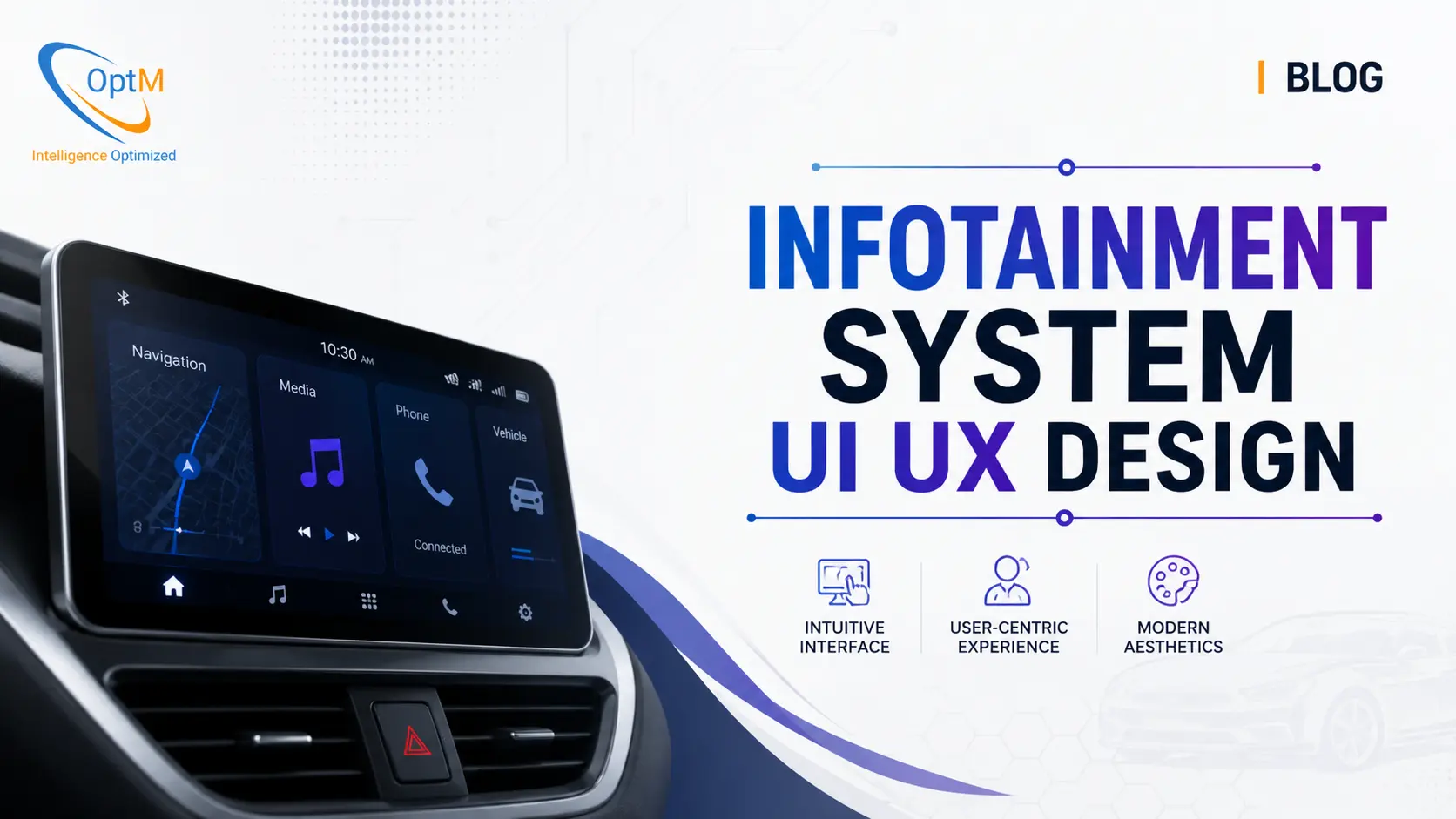
Infotainment System UI/UX design is the engineering discipline of structuring the visual and interactive layers of an automotive domain controller. By leveraging high-performance graphics frameworks like the Qt Scene Graph, it translates complex vehicle telemetry, multimedia, and safety-critical ADAS alerts into an intuitive, distraction-free multimodal interface, executing rendering pipelines at a flawless 60 frames per second to ensure absolute cognitive safety.
Understanding how this visual presentation is achieved requires a deep architectural understanding of the underlying silicon. For a comprehensive look at the computational traffic management running beneath the glass, explore our technical breakdown detailing exactly How Does Infotainment System Work.
1. The Intersection of Cognitive Load and Automotive Safety
The fundamental difference between general consumer UX and automotive UX is the principle of "glanceability." In a vehicle, the driver’s primary task is operating the machine; interacting with the screen is a highly dangerous secondary task. The core objective of Infotainment System UI/UX Design is mitigating cognitive load—the total amount of mental effort required to process information.
The 2-Second Rule and Visual Distraction
Automotive safety regulators, such as the National Highway Traffic Safety Administration (NHTSA), enforce stringent guidelines on visual-manual distraction. The prevailing standard dictates that a driver should never need to look away from the road for more than two seconds for any single glance, and the cumulative time spent interacting with a system to complete a task (like entering a navigation destination) should not exceed 12 seconds.
If a UI architect designs a beautiful, three-dimensional climate control menu that requires the driver to swipe through two sub-menus to activate the seat heater, they have failed the engineering mandate. Every pixel on the screen must justify its existence. To adhere to these strict temporal budgets, UI designers employ Fitts’s Law, scaling the size of interactive touch targets (buttons) based on their distance from the driver's natural resting hand position. Primary functions are anchored in predictable, static zones, ensuring the driver can eventually develop muscle memory and interact with the system without needing to break visual contact with the road.
2. Graphic Frameworks and the Qt Scene Graph Pipeline
A stunning visual design on a computer monitor is useless if the vehicle's underlying hardware cannot render it without dropping frames. The gap between design intent and physical execution is bridged by advanced graphical software frameworks.
The Qt and QML Ecosystem
In modern production-grade cockpits, the UI is rarely built using raw native code. Instead, Tier-1 suppliers overwhelmingly rely on cross-platform C++ frameworks, most notably the Qt Framework, paired with the declarative QML (Qt Modeling Language). Qt allows designers to build highly dynamic, scalable interfaces that can run seamlessly on both the high-performance Android Automotive OS (AAOS) in the central display and the deeply embedded Real-Time Operating System (RTOS) managing the instrument cluster.
The Scene Graph Execution
When an interface is designed in QML, it is compiled into a highly optimized data structure known as a Scene Graph. The Scene Graph is a hierarchical node tree that mathematically maps out every rectangle, text string, and vector image on the screen.
Instead of forcing the CPU to calculate the geometry and color of every pixel frame-by-frame, the Scene Graph engine batches these visual instructions. It identifies redundant layers and combines them, significantly reducing the draw-call overhead. The Scene Graph then passes these optimized mathematical instructions directly to the low-level graphics APIs (such as OpenGL ES 3.2 or Vulkan), which interact directly with the System-on-Chip's (SoC) graphics pipelines.
3. Hardware Acceleration and Rendering Execution
Understanding the Components of an Infotainment System is vital because the UX is completely constrained by the physical limits of the SoC’s Graphics Processing Unit (GPU). If the UI demands more memory bandwidth than the silicon can provide, the interface will stutter, immediately destroying the perception of a premium vehicle.
Vertex and Fragment Shader Pipelines
When the low-level API receives the batched instructions from the Scene Graph, the virtualized GPU cores take over. The rendering pipeline is split into two primary microscopic phases:
-
Vertex Shaders: The GPU calculates the exact geometric coordinates of the UI elements. If the UX features a smoothly expanding volume slider, the vertex shader calculates the exact vector path of that expansion in real-time.
-
Fragment Shaders: Once the geometry is mapped, the fragment shaders calculate the color, opacity, and anti-aliasing of every individual pixel. If a designer specifies a drop-shadow or a glass-morphism blur effect behind a menu, the fragment shader must execute massive matrix multiplications for thousands of pixels simultaneously. Because blur effects are incredibly computationally expensive, disciplined automotive UX architects use them sparingly to prevent thermal throttling of the SoC.
Triple Buffering and V-Sync Interlocks
To ensure a flawless 60 frames-per-second (fps) interaction, the graphics pipeline must eliminate "screen tearing"—a severe visual artifact that occurs when the display hardware pulls a frame from memory while the GPU is only halfway through drawing it.
To achieve this, the architecture employs double or triple buffering in conjunction with hardware Vertical Synchronization (V-Sync). The display controller reads pixel data exclusively from a dedicated memory block (the Front Buffer). Meanwhile, the GPU renders the upcoming UI frame into a hidden memory block (the Back Buffer). Once the display finishes its physical vertical refresh pass, the display hardware issues a microscopic V-Sync interrupt pulse. The system instantly swaps the memory pointers of the two buffers. This mathematically perfect transition ensures zero visual jitter, resulting in the buttery-smooth interface consumers demand from premium mobility products.
4. Design Principles for Executive Minimalism
In a B2B and SDV context, the visual language of the digital cockpit is fundamentally different from consumer gaming or mobile ecosystems. The design philosophy is rooted in executive minimalism, prioritizing absolute clarity over superficial ornamentation.
Flat Design and High-Contrast Hierarchies
The era of skeuomorphism—designing digital buttons to look like glossy, 3D physical switches with heavy bevels—is dead in automotive UI. Modern digital cockpits utilize flat design. Flat design relies on sharp typography, precise vector iconography, and massive negative space to guide the driver's eye.
Visual hierarchy is enforced through strict contrast ratios. To maintain legibility under harsh direct sunlight while preventing night-time glare, interfaces default to deep, dark matrices. For instance, a system might utilize a pure, unlit OLED black or a deep navy background, drawing the eye entirely via highly saturated, brand-aligned primary accent colors that signify active states or critical routing paths. Success states and EV charging confirmations are uniquely color-coded (often in vibrant greens or cyan) so the driver can register the vehicle's status in peripheral vision without having to focus on the text itself.
The Eradication of "Futuristic" Clutter
Many legacy concept cars featured overly "futuristic," neon-drenched interfaces resembling science-fiction movie sets. In production-grade engineering, these designs are completely rejected. High-frequency neon colors and rotating 3D vehicle avatars induce massive cognitive fatigue. Premium UI/UX design is characterized by its restraint. The interface should feel like a high-end mechanical timepiece: silent, precise, and completely invisible until the exact moment it is needed.
5. Multimodal Interfaces and Natural Language Processing (NLP)
As displays grow larger—with screens like the Mercedes-Benz 56-inch Hyperscreen spanning the entire dashboard—relying solely on physical touch becomes a logistical impossibility. A driver cannot safely lean across the center console to tap a menu on the passenger side. Consequently, modern UI/UX design has evolved into a "multimodal" discipline, offering multiple simultaneous avenues of interaction.
The Shift to Voice-First Architectures
The most profound shift in cognitive load reduction is the integration of Edge-AI Natural Language Processing (NLP). Instead of navigating a visual hierarchy to change a setting, the driver simply uses conversational speech.
However, forcing a driver to memorize rigid voice commands (e.g., "System, set HVAC fan speed to level four") is terrible UX. Modern embedded voice assistants utilize edge-based neural processing units (NPUs) to understand context and intent. A driver can simply say, "I'm freezing," and the system's middleware translates that unstructured intent into a direct CAN bus command that raises the cabin temperature and activates the steering wheel heater. By keeping the hands on the wheel and the eyes on the road, voice-first architecture represents the ultimate culmination of automotive safety design.
Haptic Feedback and Muscle Memory
When touch interaction is necessary, the UX must compensate for the lack of tactile physical buttons. A flat piece of glass provides zero physical confirmation that an input was registered. To solve this, advanced interfaces utilize localized haptic feedback actuators beneath the screen. When the driver presses a digital button, the screen physically pulses in a localized quadrant, simulating the mechanical "click" of a physical switch. This haptic confirmation allows the driver to build muscle memory, confident that their command was executed without needing to look at the display for visual confirmation.
6. Dynamic Instrumentation and ADAS Visual Prioritization
The UI/UX design of a digital cockpit is not static; it is a highly dynamic, context-aware ecosystem. The most complex engineering challenge is designing a system that can instantly adapt its visual layout based on the immediate real-world environment surrounding the vehicle.
The Role of the Digital Instrument Cluster
The screen directly behind the steering wheel (the cluster) is entirely isolated from the central media display via the hypervisor architecture, running on a deeply deterministic Real-Time Operating System (RTOS). The UX of this screen is strictly governed by functional safety standards (ISO 26262).
During standard highway cruising, the cluster UI is sparse, displaying only the current speed, range, and a faint outline of the lane markings detected by the vehicle's cameras. This is "Phase 1" minimal cognitive load.
ADAS Intervention and Visual Takeover
However, if the vehicle’s Advanced Driver Assistance Systems (ADAS) detect a rapidly decelerating vehicle ahead, the UX must instantly pivot to "Phase 3" emergency prioritization.
Understanding how the system routes this massive influx of sensor data requires a thorough grasp of Infotainment System Architecture. The ADAS domain controller sends a high-priority interrupt over Automotive Ethernet. The UI framework instantly halts all secondary animations. The cluster display flashes a massive, high-contrast red collision warning that dominates the entire screen. Simultaneously, the central infotainment display mutes the audio and renders a secondary visual alert. The UI transitions from a passive informational display into an aggressive, life-saving intervention tool in less than 50 milliseconds.
7. The Personalization Ecosystem and Biometric Integration
In the luxury and SDV segments, a vehicle is no longer a shared, generic space; it is a highly personalized digital profile. The UX must adapt to whoever is sitting in the driver's seat the moment the door opens.
Biometric Authentication
Modern cockpits integrate near-infrared facial recognition cameras and fingerprint scanners. When the driver enters, the system authenticates their biometric signature. The UI immediately reshuffles to their exact preferences: the seat adjusts, the ambient lighting shifts to their preferred corporate color scheme, their specific Spotify playlists populate the media widget, and their home address is pre-loaded into the navigation routing engine. This zero-friction personalization removes all setup tasks from the driver's cognitive load, creating a profoundly luxurious user experience.
The Role of OTA Updates in Evolving UX
Because the UI is decoupled from the hardware via the Vehicle Hardware Abstraction Layer (VHAL), OEMs can completely revamp the user experience years after the vehicle was purchased. If a UX research team discovers that drivers are struggling to find the regenerative braking settings, the OEM can redesign the menu architecture and push the new Qt Scene Graph instructions over the air via the 5G Telematics Control Unit (TCU). The Role of Embedded Software in Infotainment System design guarantees that these OTA updates can fundamentally alter the consumer's interaction with the vehicle, ensuring the UX never feels dated or obsolete.
8. Real-World Workflow Example: UI Execution During a Critical ADAS Intervention
To fully appreciate the fusion of cognitive psychology, graphics rendering, and network engineering, we must map a microscopic, real-world edge case. Let us observe the exact end-to-end workflow of the UI/UX framework executing a critical lane-departure intervention at 80 MPH.
-
Edge Detection (Sensor Layer): The vehicle's forward-facing optical camera, processing frames via an edge-AI computer vision model, detects that the right front tire has crossed a solid white highway lane marker without an active turn signal.
-
Network Translation (Architecture Layer): The ADAS ECU fires a critical LANE_DEPARTURE_WARN packet across the CAN FD bus. The central infotainment SoC receives this packet. The VHAL translates the binary payload and pushes a high-priority event pointer across a zero-copy shared memory bridge into the secure RTOS domain handling the digital instrument cluster.
-
Scene Graph Re-Calculation (Framework Layer): The QML application logic intercepts the event. It instantly suspends the subtle, low-contrast UI state. The Qt Scene Graph dynamically generates a new mathematical node tree, placing a massive, pulsating hazard icon over the right side of the digital speedometer.
-
Hardware Rendering (Silicon Layer): The new Scene Graph instructions are passed to the Vulkan graphics API. The SoC's virtualized GPU fragment shaders rapidly calculate the high-contrast pixels required to draw the hazard icon, pushing the rendered frame into the Back Buffer memory block.
-
Visual Output and Multimodal Confirmation (Execution Layer): Waiting for the exact microsecond of the display’s hardware V-Sync interrupt, the system swaps the memory buffers, flashing the visual warning to the driver. Simultaneously, the UI framework sends a command to the steering column's haptic actuator, vibrating the right side of the steering wheel, and commands the audio DSP to emit a sharp, localized warning chime from the front-right cabin speaker.
Total elapsed time: Less than 45 milliseconds. The driver receives a synchronized visual, acoustic, and tactile warning, instantly understanding the exact nature and location of the threat without ever having to consciously process a menu or read a line of text. This is the absolute pinnacle of automotive UX execution.
Final Thoughts: Designing the Future of Human-Machine Interaction
Infotainment System UI/UX design is not graphic design; it is high-stakes cognitive engineering. As original equipment manufacturers transition toward software-defined vehicles, the digital interface becomes the defining characteristic of the brand. A flawless, intuitively minimalist interface that executes at 60 frames per second builds deep consumer trust and brand loyalty. Conversely, a cluttered, high-latency interface not only destroys the perception of quality but actively endangers the lives of the passengers.
To achieve this level of visual and functional perfection, Tier-1 suppliers and OEMs must partner with engineering teams capable of bridging the massive gap between psychological design intent and bare-metal silicon execution. Every pixel must be justified, every interaction must be multimodal, and every rendering pipeline must be ruthlessly optimized for functional safety.
For procurement leaders, system architects, and automotive engineers aiming to deploy the next generation of safe, scalable, and visually stunning in-cabin experiences, explore the deep HMI engineering capabilities, proven Qt framework integrations, and advanced architectural implementations utilized within the Automotive Infotainment System engineered by OptM Solutions.
Frequently Asked Questions (FAQs)
How does Fitts's Law apply to automotive touchscreen design?
Fitts's Law dictates that the time required to move to a target depends on the distance to the target and its size. Automotive UX designers scale primary interactive buttons to be massively larger if they are located further away from the driver's natural resting hand position to reduce glance time.
Why are drop shadows and blur effects minimized in automotive UIs?
Glass-morphism and blur effects are incredibly taxing on the GPU's fragment shaders. Overusing them consumes excessive memory bandwidth and generates heat. If the SoC thermal throttles, the UI drops below 60fps, creating lag and destroying the premium feel of the system.
How does the Qt Scene Graph optimize GPU draw calls?
Before sending instructions to the GPU, the Scene Graph compiles the UI elements into a mathematical node tree. It identifies redundant visual layers (e.g., hidden menus behind a map) and removes them, passing only a single, optimized batch of rendering instructions to the OpenGL/Vulkan APIs.
What is "screen tearing," and how does hardware V-Sync prevent it?
Screen tearing occurs when the display reads a memory buffer while the GPU is only halfway through drawing the new frame. V-Sync forces the system to wait for a hardware interrupt from the display panel before swapping the front and back memory buffers, ensuring mathematically perfect visual transitions.
How does multimodal interaction reduce driver cognitive load?
By offering multiple ways to achieve a task (voice NLP, steering wheel buttons, and haptic touchscreens), drivers can choose the method that requires the least visual-manual distraction at any given moment, keeping their eyes on the road during complex maneuvers.
Why is flat design preferred over skeuomorphism in the digital cockpit?
Skeuomorphism (3D buttons with heavy shading) creates visual clutter. Flat design relies on sharp typography, negative space, and strict color contrast hierarchies. This ensures the driver can instantly extract critical data in peripheral vision without deciphering complex 3D shapes.
How does the UI dynamically prioritize ADAS warnings over media?
When an ADAS interrupt arrives, the UI framework instantly suspends the standard Scene Graph rendering logic. It forces an immediate redraw of the screen, overlaying a high-contrast (usually red) emergency warning banner that dominates the visual hierarchy above all consumer media.